Animate Wrap Around
To wrap around a moving object, like the way Packman goes off one side of the screen and immediately appears on the other, is pretty simple to implement. You need to know two things:
- The width of the screen
- The width of the object to wrap
And this also assumes your robot it drawn with the upper left edge at 0.
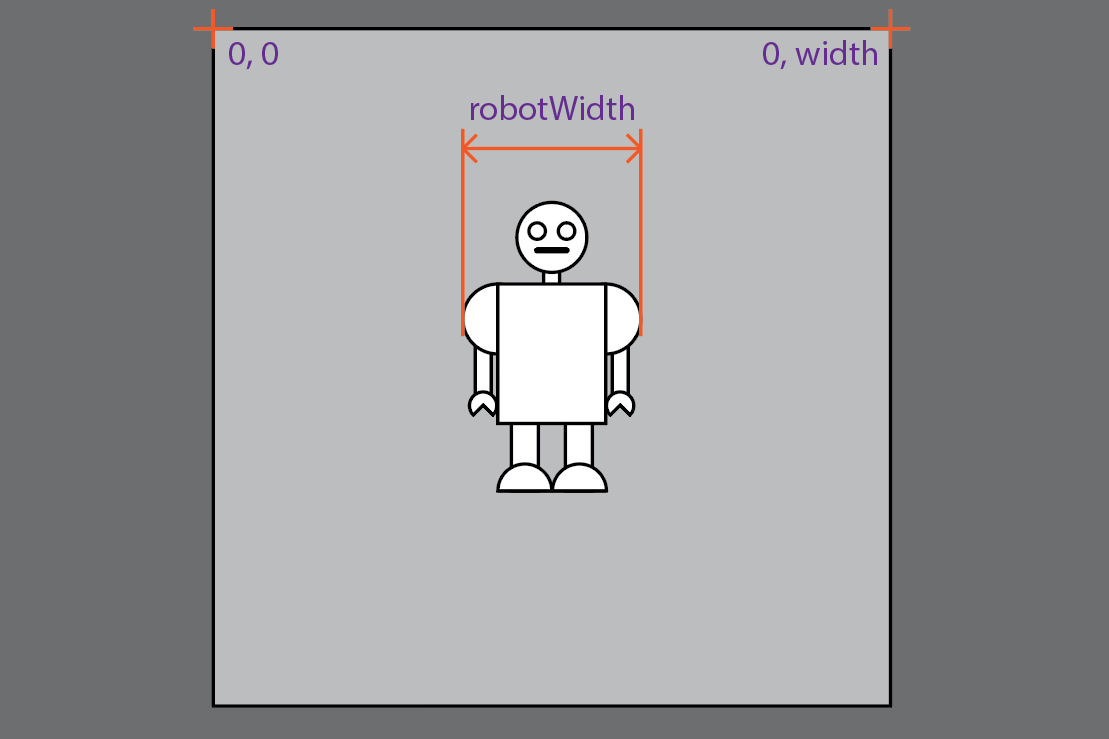
We know the width of the screen is in the environmental variable width. Let's say for the sake of this example, it's 500.
Sometimes it can be tricky figuring out the width of the robot, since it's literally the sum of its parts. But once you've figured it out, its a good idea to put it into a variable, like int robotWidth.
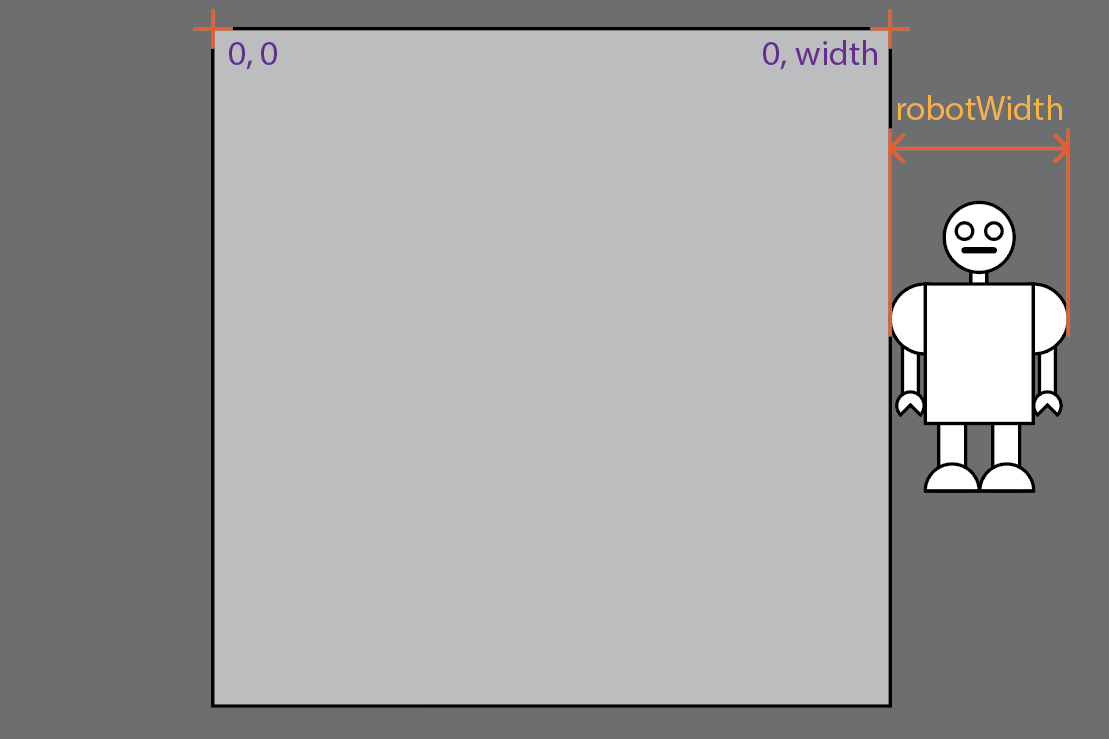
So when the robot reaches the left edge of the screen, it needs to go back to the opposite edge. Test for the X location of the robot to be the same or larger than the width of the screen. Like so:
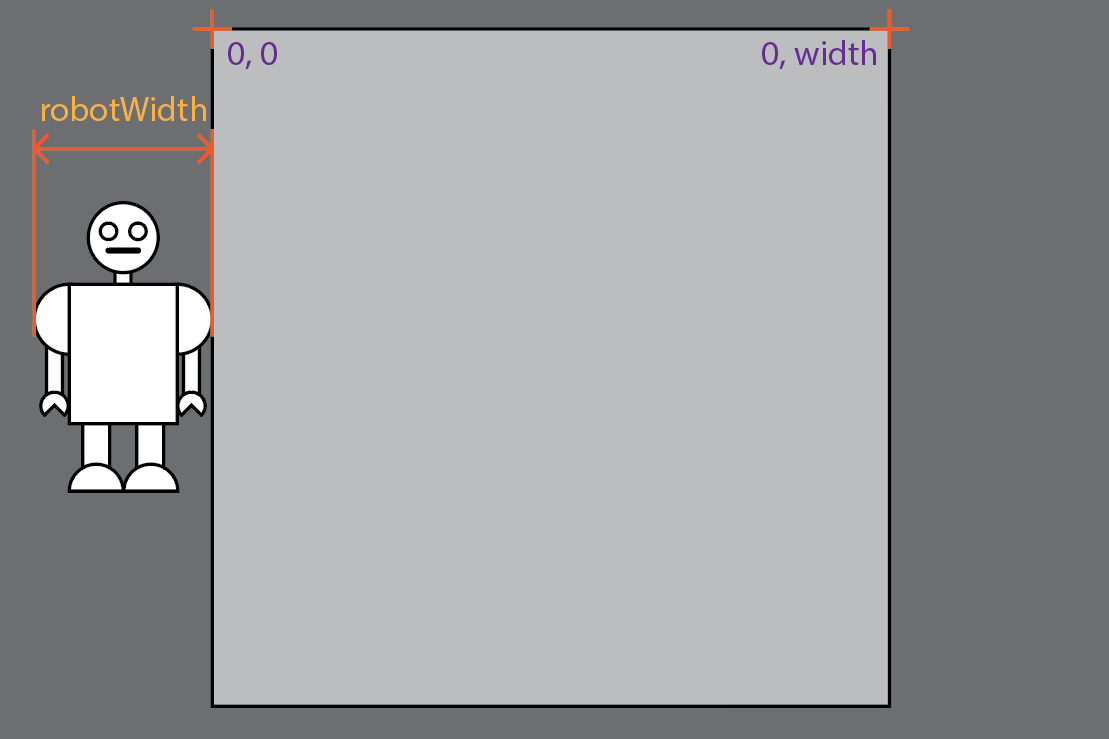
When the if test is passed, reset the xLoc to the opposite side of the screen, but you can't just set it to 0, you have to move it to the left by the width of the robot:
PROCESSING
Wrap Robot left to right
int robotWidth = 100;
// To start the robot in the center,
// set the xLoc to half the width of the screen
// minus half the width of the robot
int xLoc = 200;

void setup() {
  size(500,500);
}

void draw() {
  background(204);
  // move the robot to the right
  xLoc = xLoc + 5;
  // check the location
  if (xLoc >= width) {
    xLoc = -robotWidth;
  }
  // Draw the robot
  rect(xLoc, 200, 100,100);
}
And when you're moving the opposite way, check for when the robot is the robotWidth off to the left side of the screen, or:
And when it is, set it over the the right side, or:
Thusly:
PROCESSING
Wrap Robot left to right 2
int robotWidth = 100;
// To start the robot in the center,
// set the xLoc to half the width of the screen
// minus half the width of the robot
int xLoc = 200;

void setup() {
  size(500,500);
}

void draw() {
  background(204);
  // move the robot to the left
  xLoc = xLoc - 5;
  // check the location
  if (xLoc <= -robotWidth) {
    xLoc = width;
  }
  // Draw the robot
  rect(xLoc, 200, 100,100);
}
The same techniques apply to moving the robot vertically. Test for the Y location compared to the screen height when going past the bottom, reset it to -robotHeight,test for -robotHeight when going past the top of the screen and reset the Y location to the height
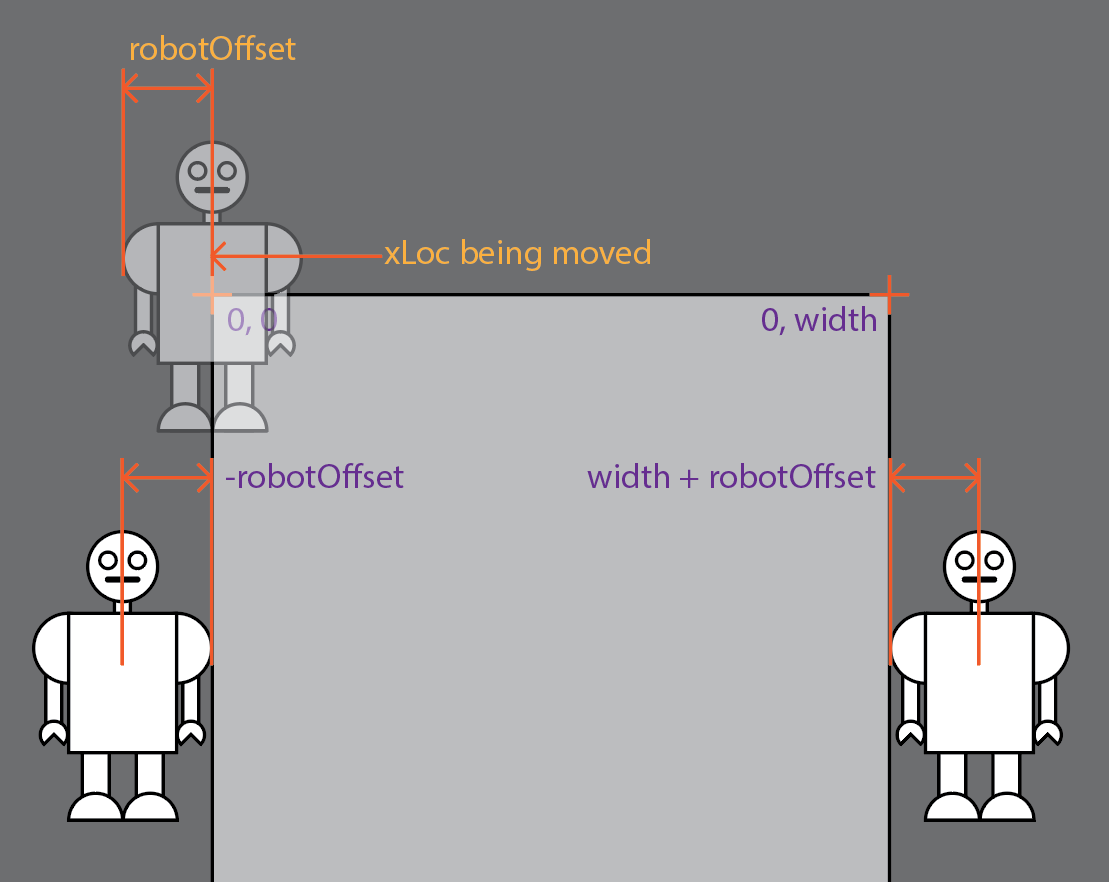
This can be slightly complicated when you're using translate(x,y) to move your robot. In that case, you need include an offset value in your tests.
PROCESSING
Wrap transformed Robot left to right
int robotOffset = 50;
int xLoc = 200;

void setup() {
  size(500,500);
}

void draw() {
  background(204);
  // move the robot to the right
  xLoc = xLoc + 5;
  // check the location
  if (xLoc >= width + robotOffset) {
    xLoc = -robotOffset;
  }
  // Move the robot
  translate(xLoc, 0);
  // Draw the robot
  rectMode(CENTER);
  rect(0, 200, 100,100);
}
And likewise for right to left:
PROCESSING
Wrap transformed Robot right to left
int robotOffset = 50;
int xLoc = 200;

void setup() {
  size(500,500);
}

void draw() {
  background(204);
  // move the robot to the left
  xLoc = xLoc - 5;
  // check the location
  if (xLoc <= - robotOffset) {
    xLoc = width + robotOffset;
  }
  // Move the robot
  translate(xLoc, 0);
  // Draw the robot
  rectMode(CENTER);
  rect(0, 200, 100,100);
}
To combine them for both vertical and horizontal movements, you do two tests, one for the X location compared to the left and right, and one for the Y location, one for the top and bottom.
Hardcoded Locations
Sometimes it's really hard to figure out what the right number is to test for going of the edge. For example, if your robot has moving parts that make it wider when the parts are extended. Or when you use scale() to resize the robot. When all else fails, put println(myXLocation) in your code and check the location in the Console window and hardcode that into your location tests.